Stop guessing your bid price. Start showing your work.
Upload the solicitation. Get every CLIN priced, live GSA labor rates, and a benchmark of comparable awards: a bid number you can defend line by line instead of one you hope is close.
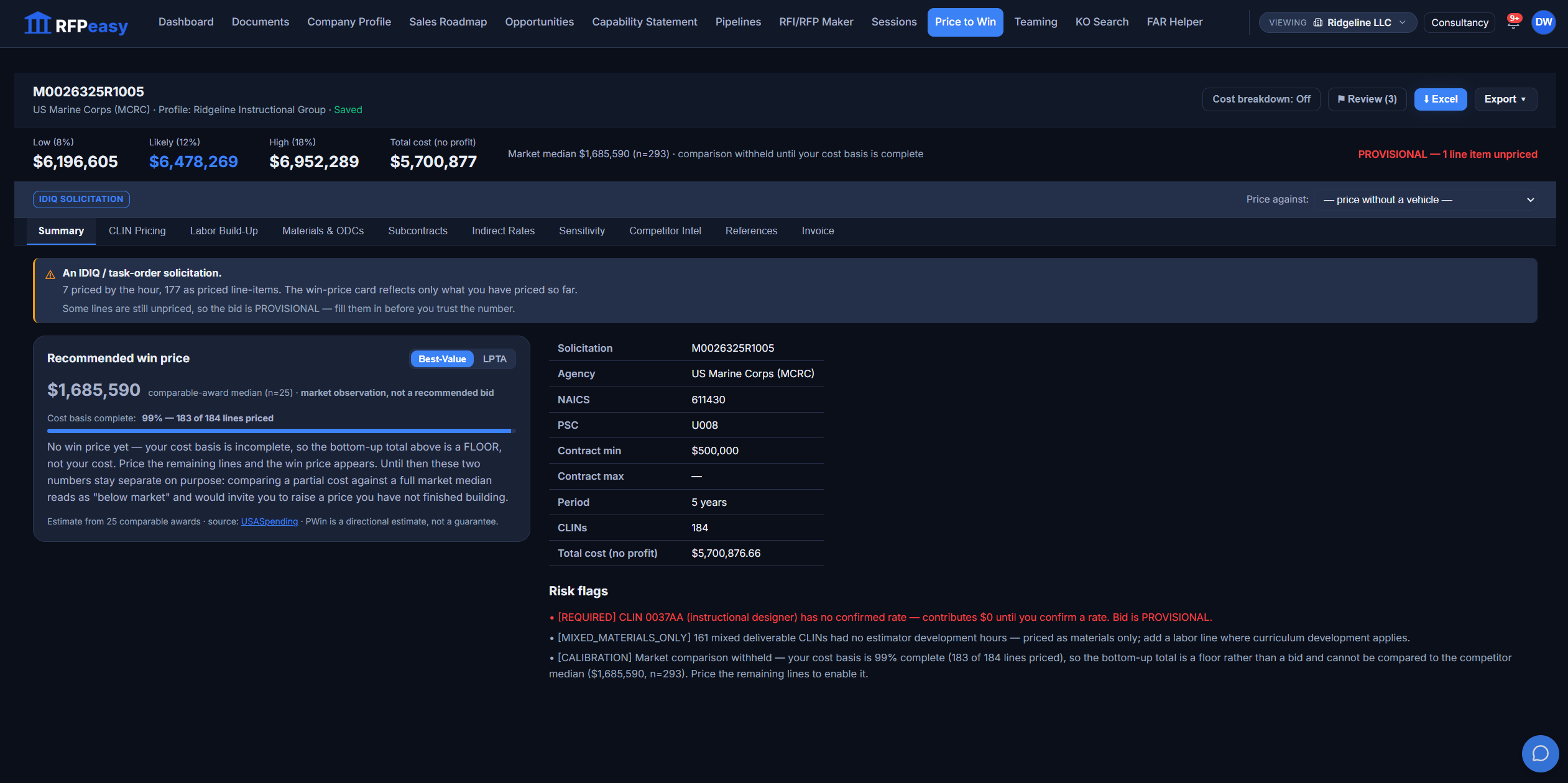
The hard part of a bid was never finding a number.
Where did this price actually come from?
What are we charging for each labor category, and can we prove the rate?
Did we build in fringe, overhead and G&A, or bury them in a guess?
What has the government actually paid for work like this?
If the contracting officer asks how we got here, what do we show them?
Are we leaving money on the table, or about to lose on price without knowing why?
Every CLIN, pulled from Section B, not retyped by hand.
Drop in the solicitation PDF and the estimator reads Section B into every CLIN (leaf items, parent line items, subtotals and the grand total) so the cost build-up starts from what the document actually asks for. Each line carries its kind, quantity, unit price and extended total; a PDF with no readable text layer falls back to OCR instead of inventing line items from noise.
When a contract ships several documents, it picks the priced schedule by reading the content, not by guessing from the filename.
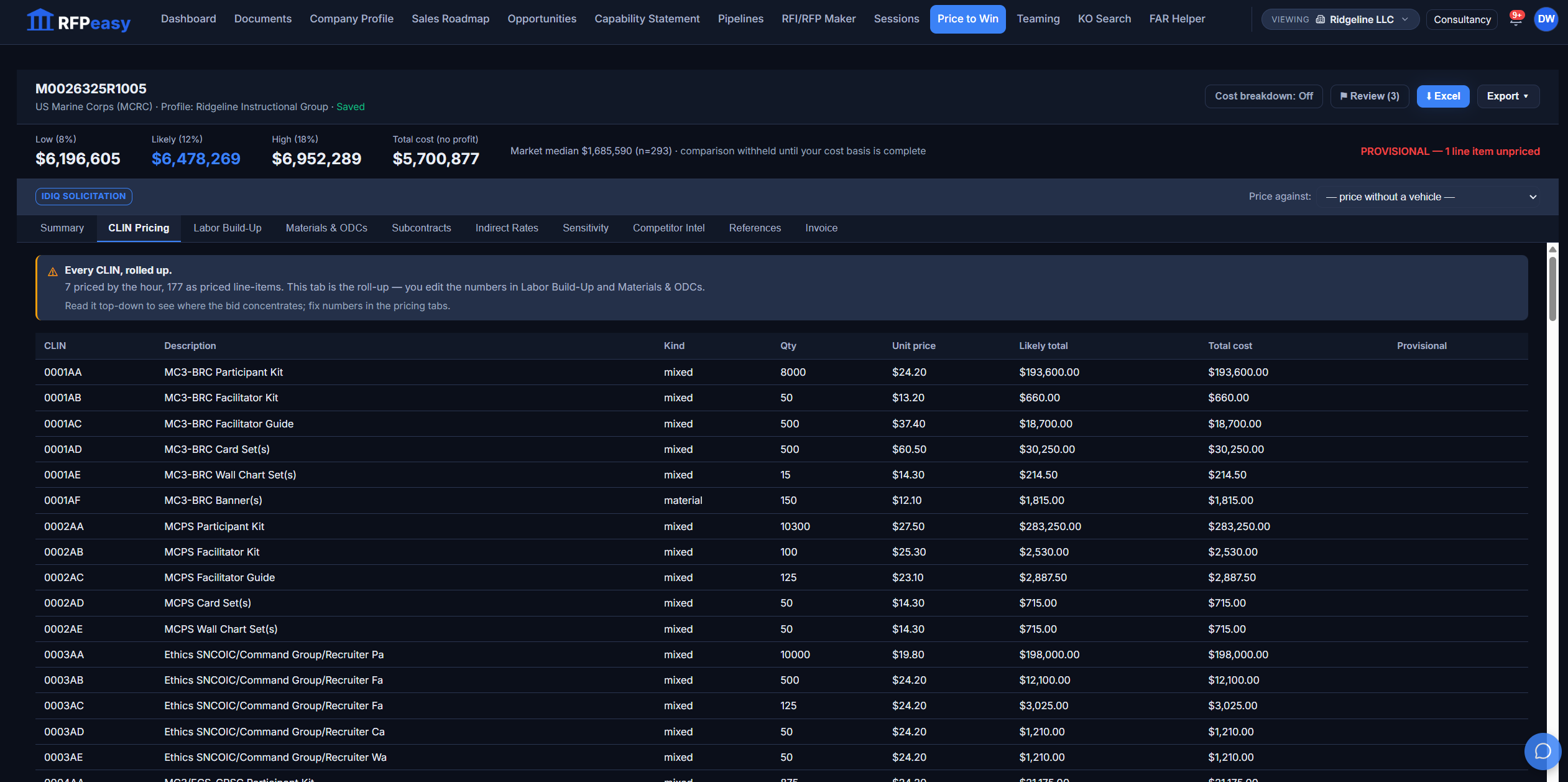
Every labor rate says where it came from.
The Labor Build-Up prices each labor category with its source on the row: a rate from your own company profile, a GSA CALC+ market median, or your manual override. When rows still need a rate, the tab says so and lets you resolve them in bulk: pick your profile's Senior Instructional Designer at $145 or the CALC+ median at $83.57 and apply it across the gap. Build-ups are reusable, so the rate card you settled on for this market is waiting for the next bid.
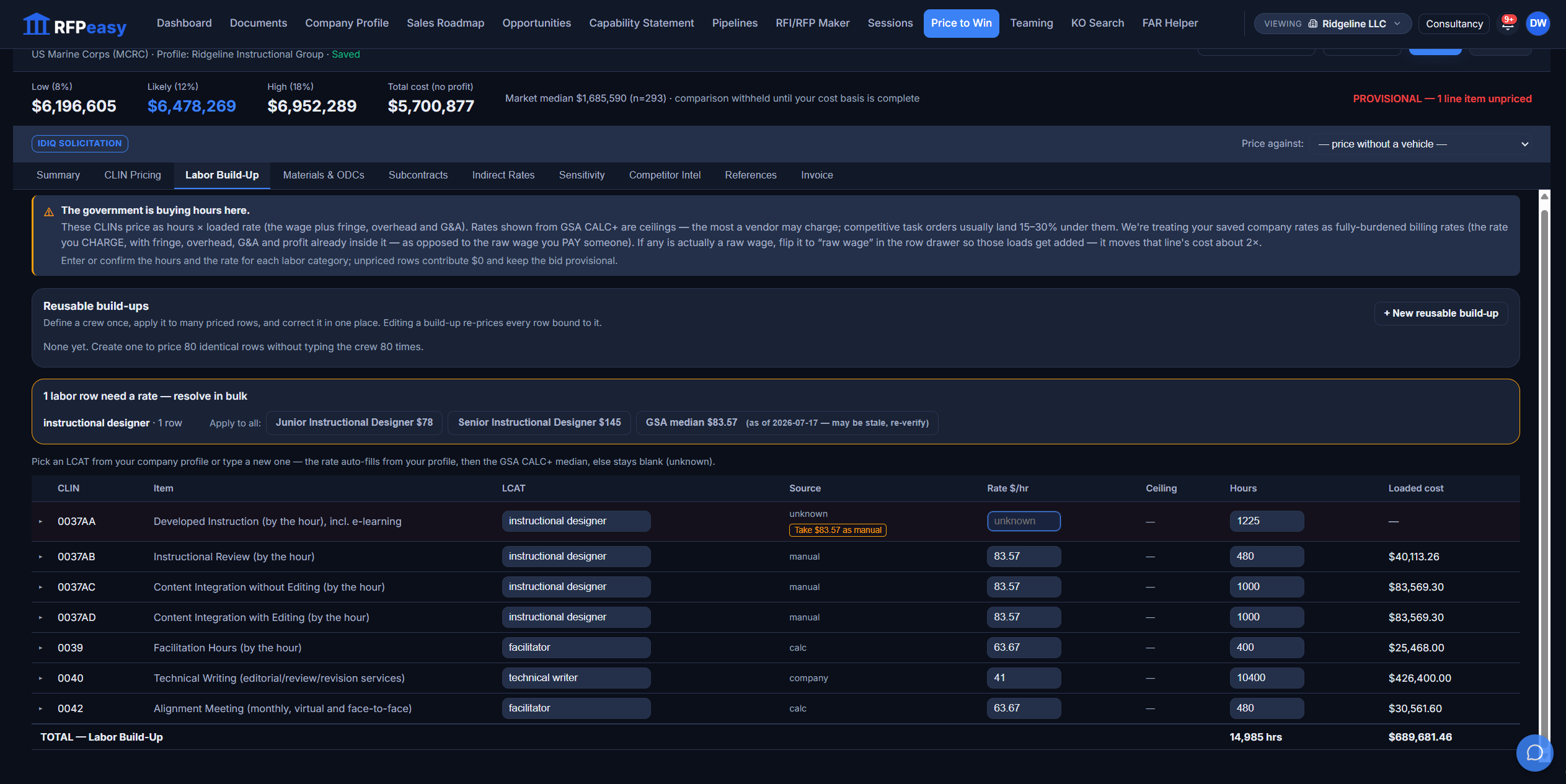
Open any labor row and see the whole argument for its number.
Each labor row expands into its own drawer: whether the rate is a billing rate or a raw wage, the estimating method and basis reference, a written basis-of-estimate narrative, and a time-phased table spreading the hours across the base year and every option year. When the contracting officer asks how you got the staffing number, this is the page you show them.
The number and its justification live in the same place.
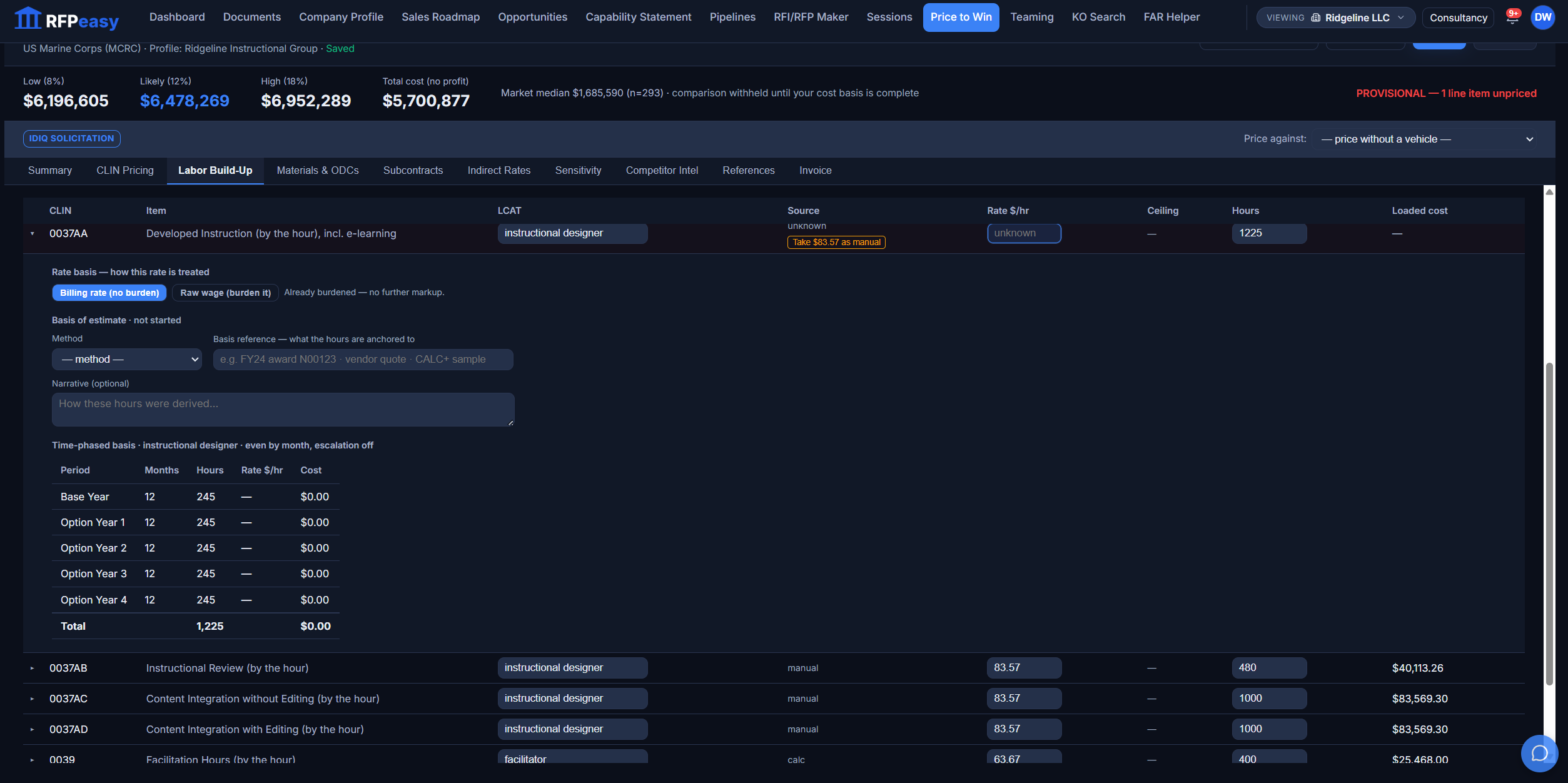
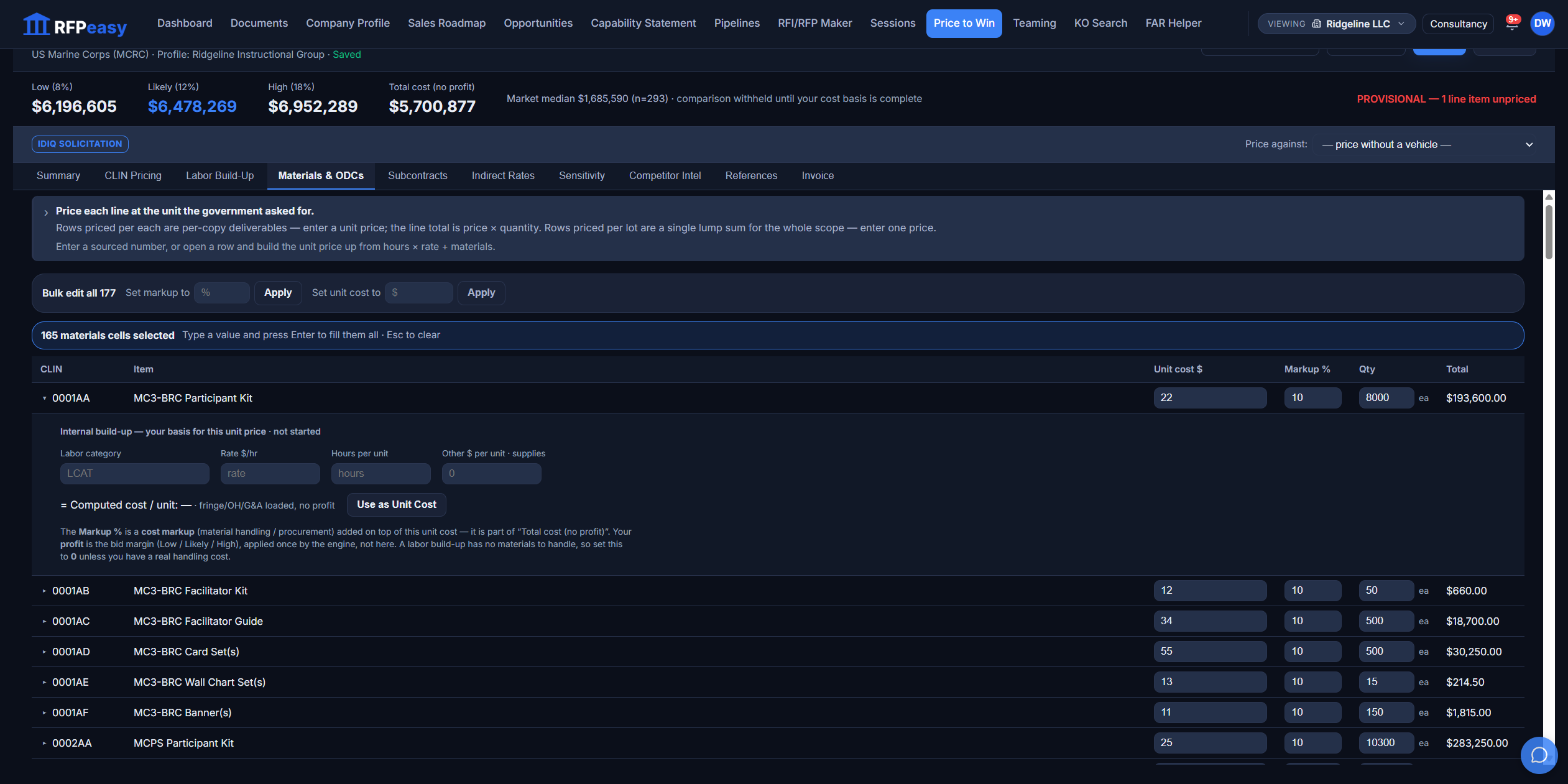
A 177-line materials schedule is an editing problem. So the editor is built for it.
Bulk-edit every materials row at once, multi-select a column and fill 165 cells in one action, or open a row and build its unit cost internally (labor category, rate, hours per unit, other dollars), then apply it as the unit cost. Markup is explicit and its effect on the extended price is visible as you type. The tedious tab stops being the error-prone tab.
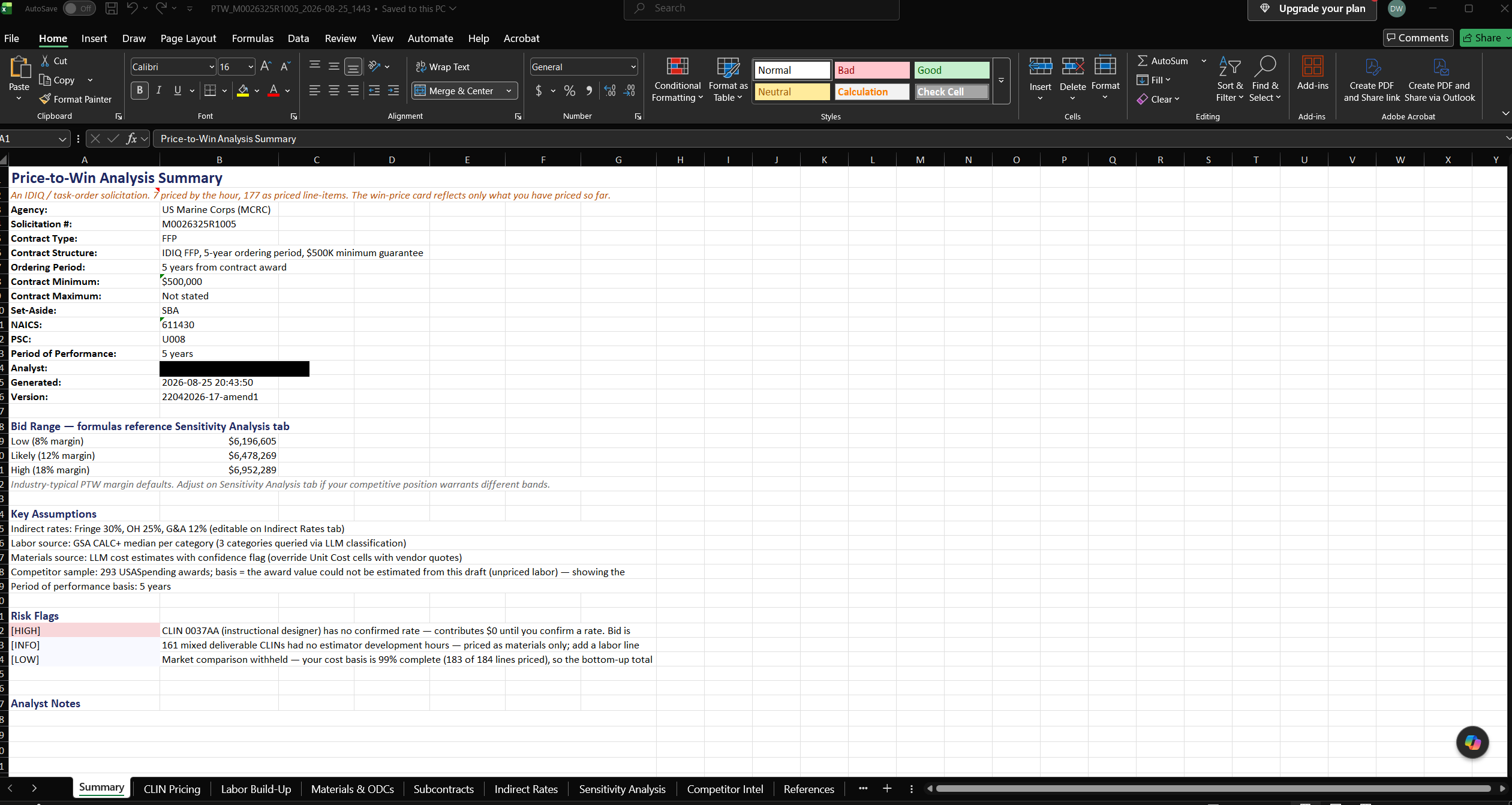
It leaves as a real Excel model, formulas intact.
The export is a nine-tab workbook, not a printout: summary and bid range, CLIN pricing, labor build-up, materials and ODCs, subcontracts, indirect rates, sensitivity, competitor intel, and a references tab where every source is a click away. Fringe, overhead and G&A live on their own tab with live formulas behind them: edit your rates in Excel and the CLIN pricing, the labor build-up and the bid range all move. Hand it to your accountant and nothing about it needs RFPeasy® to keep working.
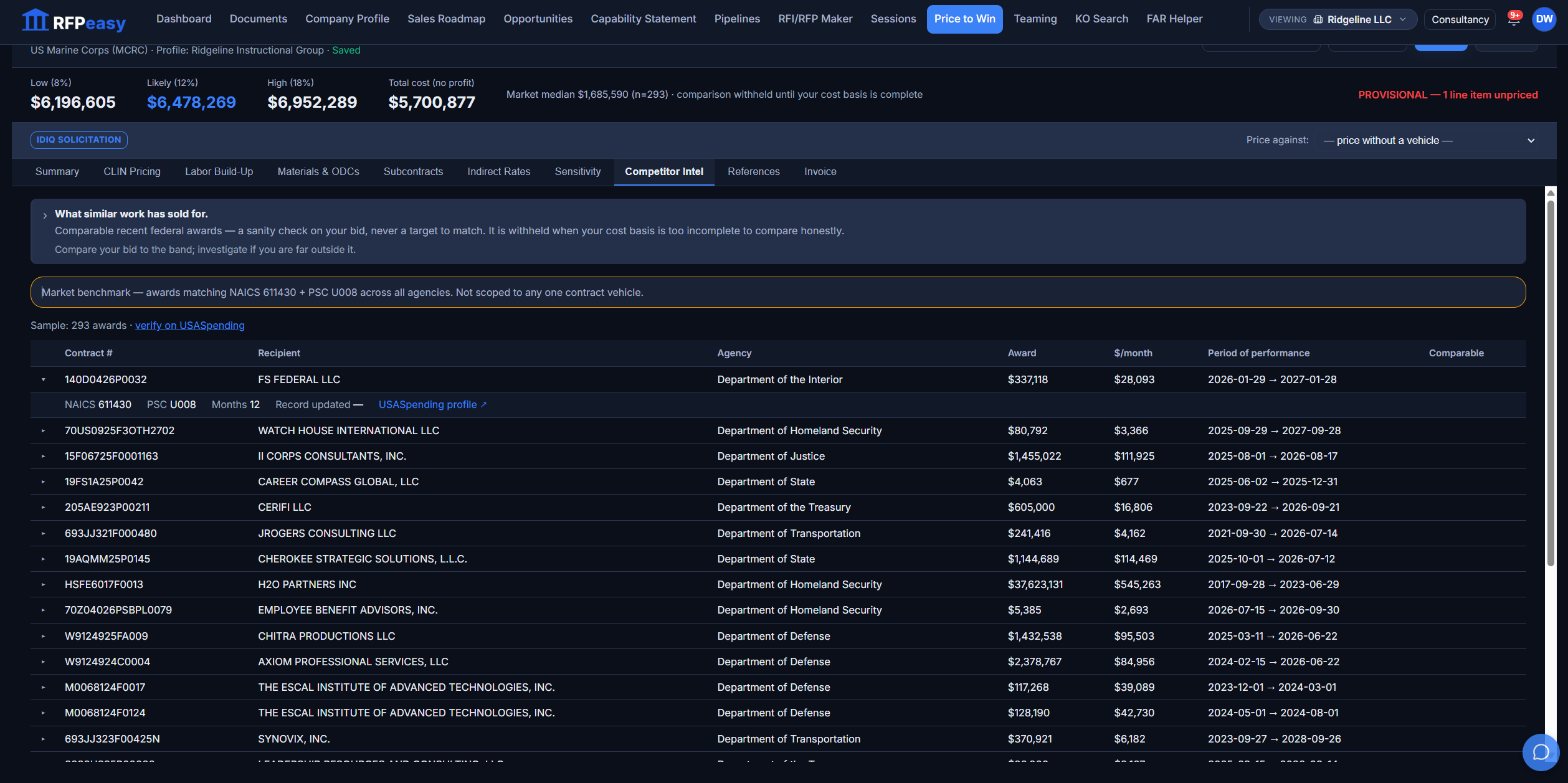
Benchmark against real awards, as a sanity check, not a target.
Competitor Intel pulls comparable awards from USASpending matched on the solicitation's NAICS and PSC (293 of them in the run shown here), each with its recipient, monthly spend rate and period of performance, expandable to the award detail and a verify-on-USASpending link. The tab is explicit about what it is: a check on whether your number is inside the market's range, never an instruction to match somebody else's price.
A guess you defend later vs. a number you can show your work on.
- Copy last year’s number and hope the market held
- Labor rates from memory, with nothing to point to
- Indirects bundled into a single fudged margin
- No idea whether you are high, low, or fine
- When the KO asks how you got here, you improvise
- Every CLIN built up from the solicitation
- Every labor rate carrying its source
- Fringe, overhead and G&A explicit and adjustable
- A benchmark of what similar work has actually paid
- A risk-flagged summary you can hand to anyone
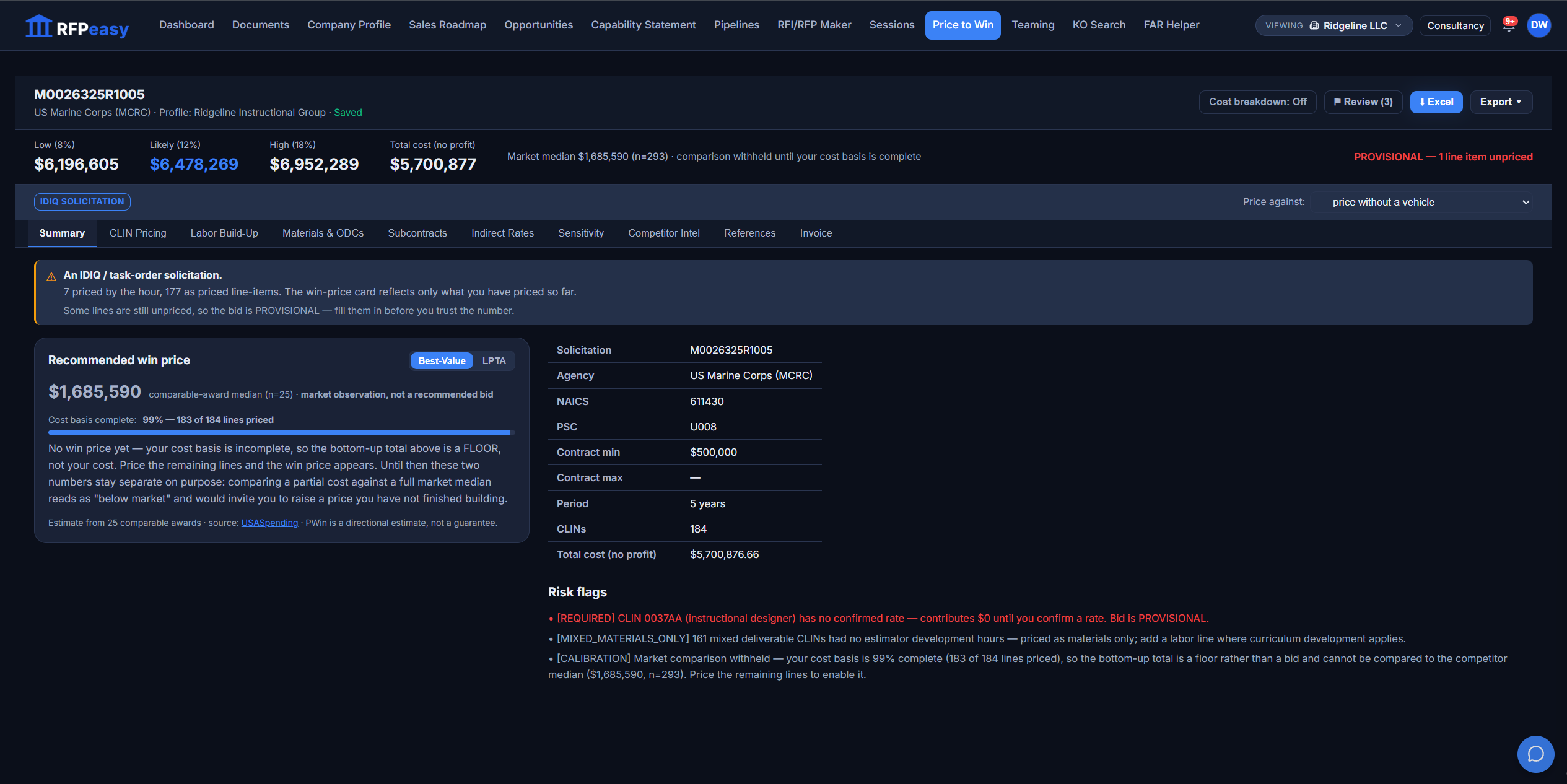
The risks in your pricing, flagged before you bid, not after.
Each analysis returns a plain summary of what to watch, tagged by severity: thin comparable samples, rate gaps still marked required, assumptions that carry more weight than they should. A provisional estimate says it is provisional. You decide what to fix and what to accept, but nothing is buried.
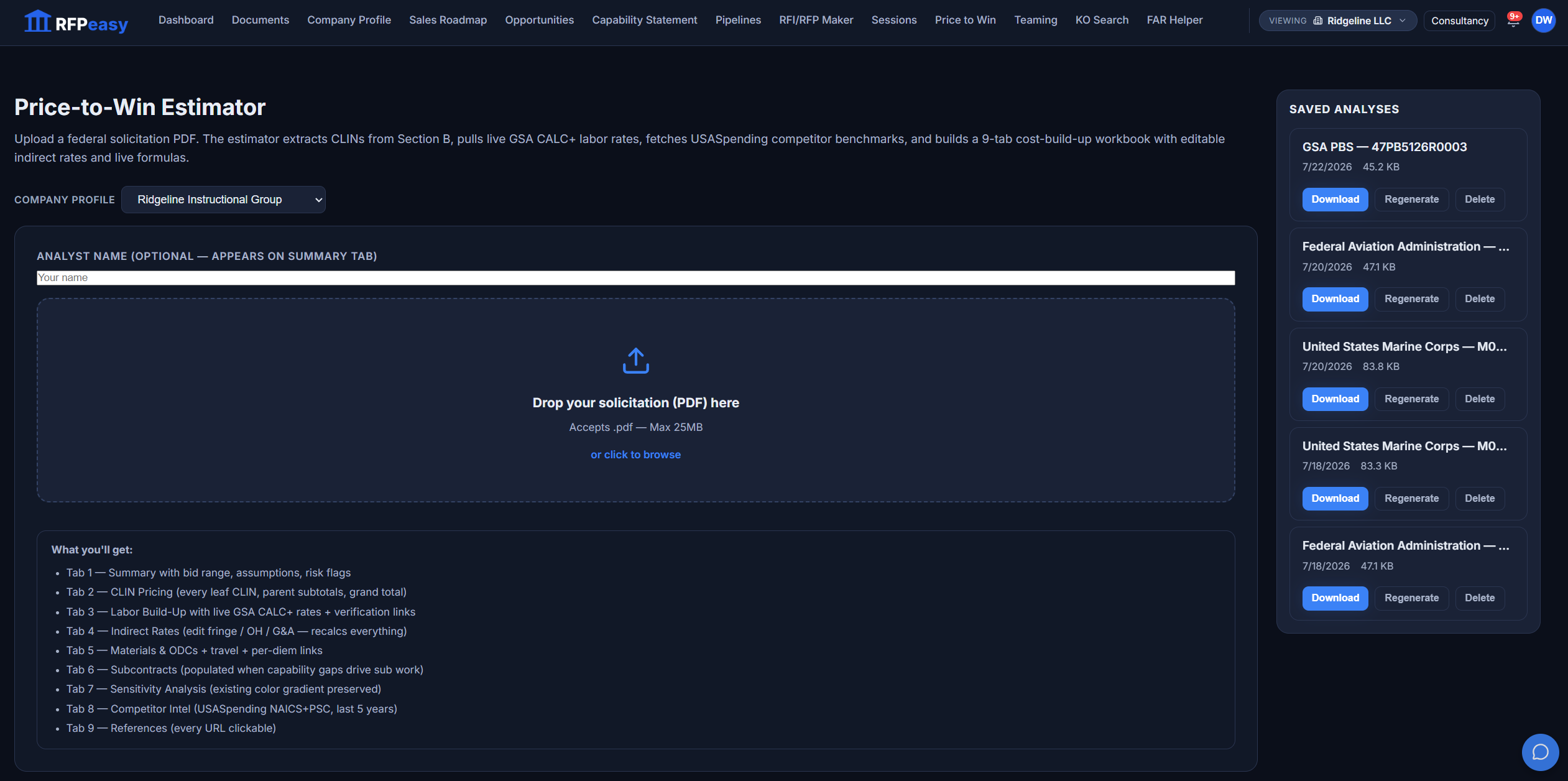
Every analysis is saved: reopen it, download it, or re-run it.
The estimator keeps your history beside the upload zone: every prior run with Download, Regenerate and Delete, and a plain statement of what a run produces: the nine-tab workbook, the CLIN extraction, the rate matching. Come back when the market moves, re-run against current GSA rates and fresh comparables, and keep refining in the editable session instead of starting from a blank page.
Price the bid you were already going to write.
Price-to-Win does not sit off on its own; it launches from the pursuit and reports back to it.
- Contract Monitor/PipelineRun New PTW on a pursuit hands the estimator the contract's solicitation PDFs.
- Company ProfileYour labor categories and rates feed the build-up, so the cost structure starts as your business is actually costed.
- Contract Monitor/PipelineThe finished analysis links itself back to the pursuit it priced.
- SessionsEvery analysis is a resumable PTW session; reopen it where you left it.
Bid a number you can stand behind.
Upload a solicitation and get a defensible cost build-up in one pass. Each run counts toward your plan’s monthly Price-to-Win analyses, so price the bids that matter.