Tell RFPeasy about your company once
Stop rebuilding the same company information every time you pursue an opportunity. Your capabilities, certifications, past performance, NAICS and PSC codes, staffing, and financial facts all live in one structured Company Profile: one place, entered once, reused by every RFPeasy workflow.
Your company information already exists. The problem is where it exists.
Your capability statement.
Your SAM.gov registration.
Your past-performance documents.
Your old proposals.
SharePoint, PowerPoints, and spreadsheets.
Someone's desktop. And sometimes, someone's memory.
Then a new opportunity appears and the process starts again: find it, copy it, rewrite it, reformat it, send it, repeat.
- Capability statement
- Past-performance PDF
- SAM.gov
- Old proposal
- Excel
- PowerPoint
- Subject-matter expert
- → New pursuit
- Company Profile: capabilities, certifications, past performance, and codes stored in one place
- → New pursuit
Build the institutional memory RFPeasy works from.
Your Company Profile turns fragmented company knowledge into structured information that can be reused across RFPeasy. Instead of starting with a blank page, RFPeasy starts with your company: company facts (legal information, business size, certifications, NAICS / PSC), capabilities (services, technologies, technical strengths, differentiators), and proof (past performance, agency experience, contract history, results).
Build it once. Improve it over time.
A capability statement tells part of your story. RFPeasy needs the rest.
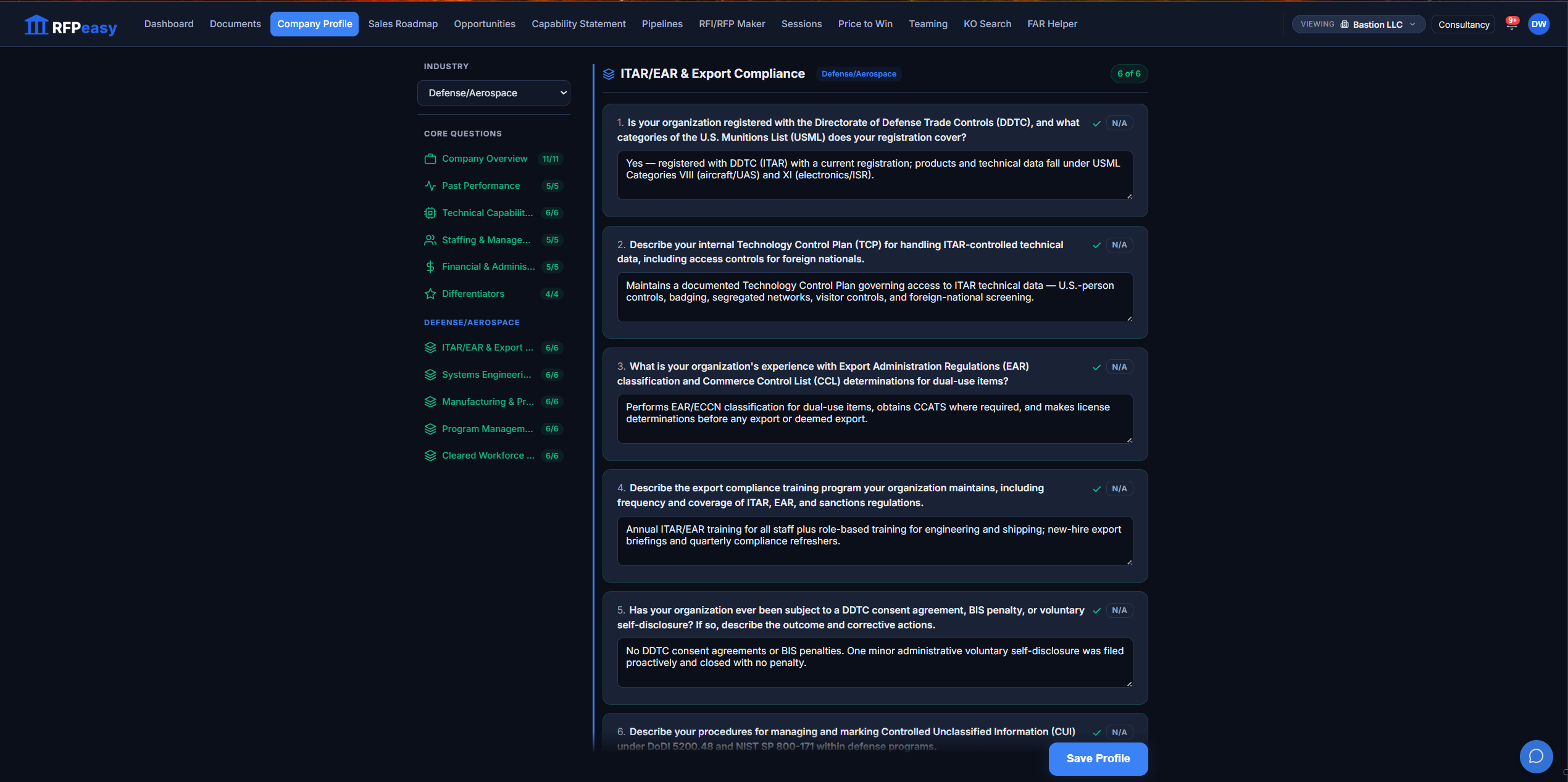
A traditional capability statement is designed to introduce your company to a buyer. Your RFPeasy Company Profile has a different job: give the platform enough structured context to actually work with your company. The 50 core questions cover the categories your best BD person carries in their head, and choosing your industry adds sections built for your world. A Defense/Aerospace profile gets ITAR/EAR & Export Compliance, Systems Engineering, Manufacturing & Production, Program Management and Cleared Workforce questions a generic form would never ask.
50 questions isn't paperwork. It's the information your team keeps having to find again.
Give the platform the information your best BD person already knows.
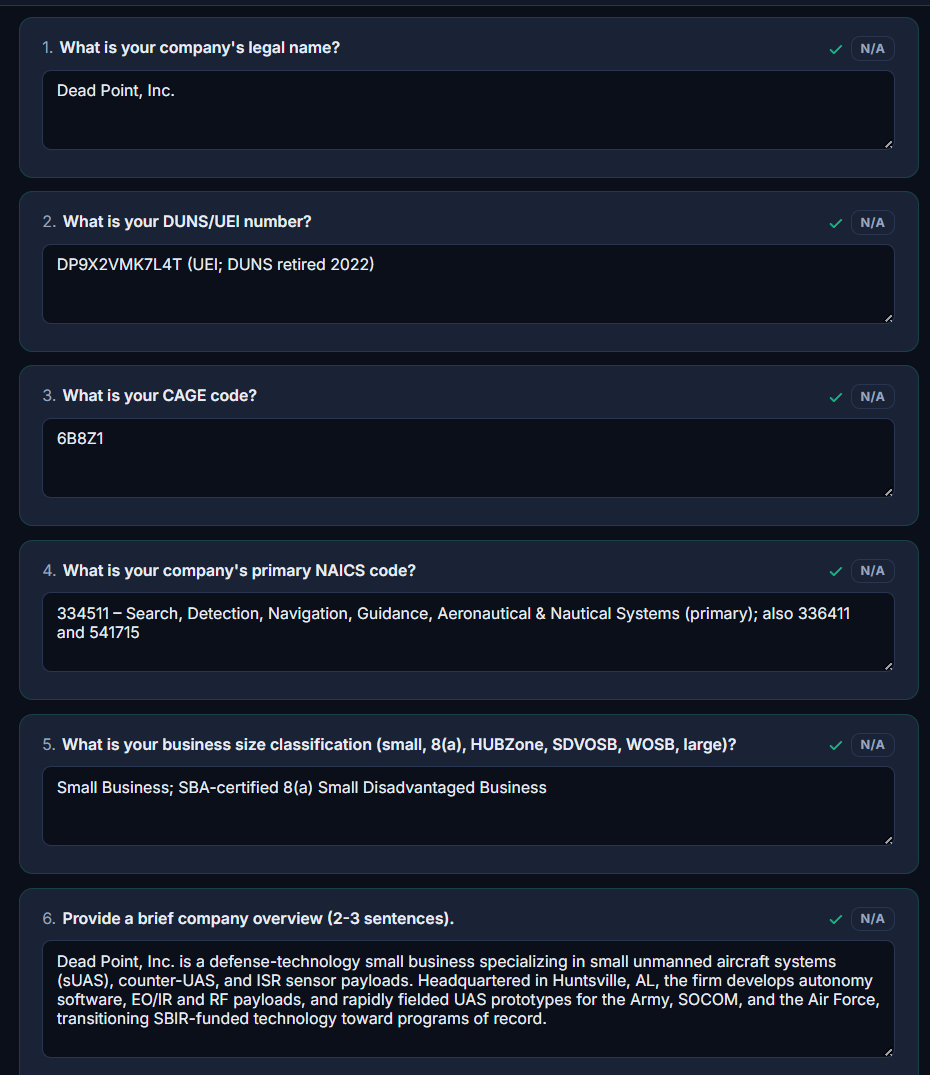
Company Overview pins down the facts every response needs: legal name, UEI, CAGE code, primary NAICS, size classification, and a short overview in your own words. Every question has an N/A escape, so you never invent an answer just to fill a box.
Your capabilities, in the platform's working vocabulary.
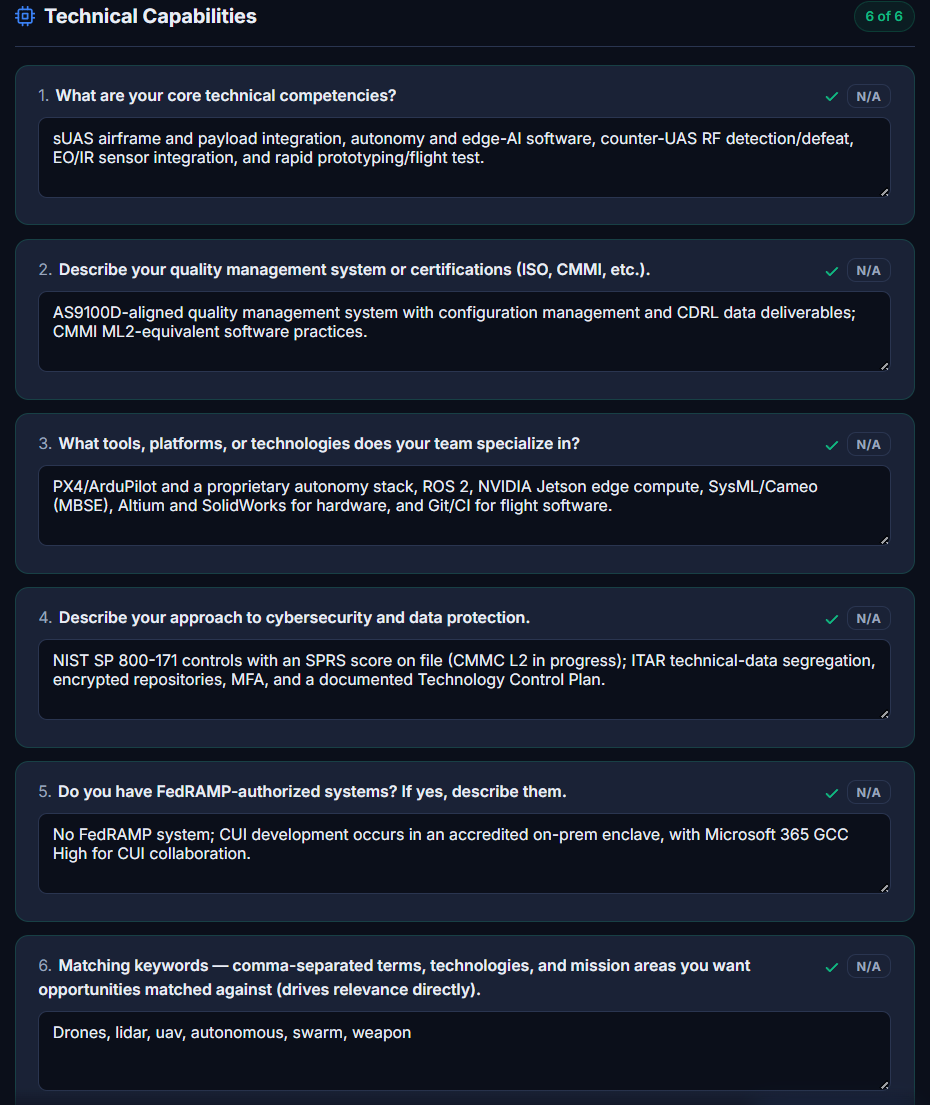
Technical Capabilities captures core competencies, quality certifications, tools and platforms, and your cybersecurity posture. It ends with the Matching Keywords question: the comma-separated terms, technologies and mission areas that drive opportunity relevance directly.
Questions a generic form would never ask.
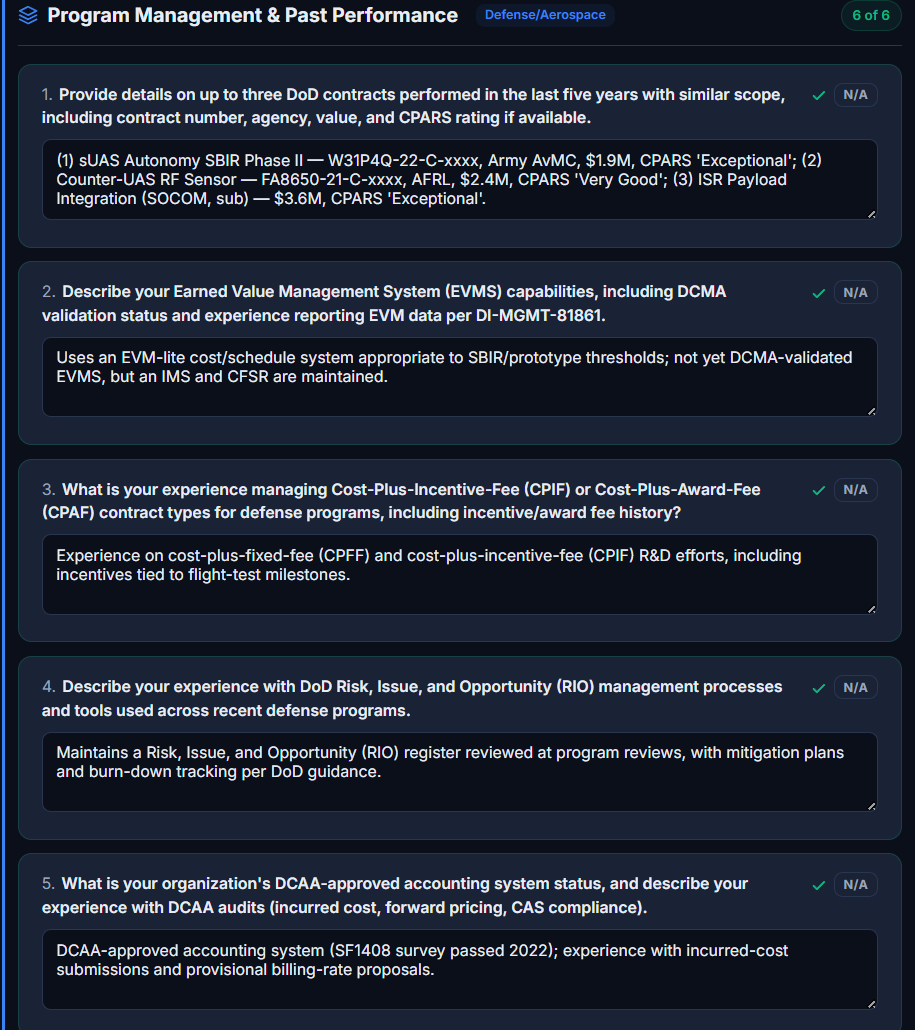
Choose Defense/Aerospace and the profile adds a Program Management & Past Performance section built for that world: DoD contracts with CPARS ratings, EVMS status, cost-type contract experience, and DCAA accounting status. Proof, structured the way defense buyers ask for it.
Your labor categories are pricing data, not paperwork.
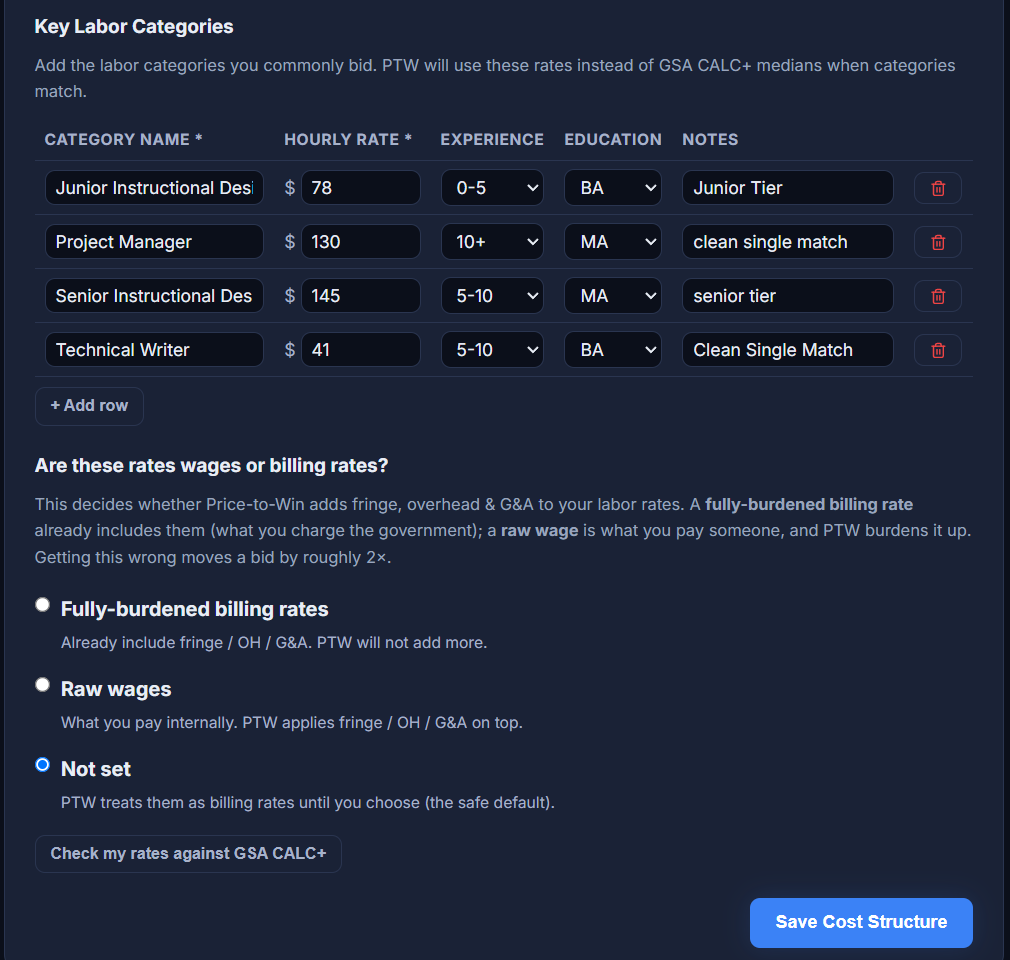
The Cost Structure section holds the labor categories you commonly bid: category name, hourly rate, experience tier, education, and your notes. One question settles whether those rates are raw wages or fully-burdened billing rates, so Price-to-Win knows whether to add fringe, overhead and G&A on top. When an analysis calls for a category you have saved, RFPeasy prices it with your rate instead of a GSA CALC+ median, and a built-in check compares your rates against CALC+ so you can see where you stand before you bid.
Getting wages vs. billing rates wrong moves a bid by roughly 2x. One answer here settles it.
Stop asking a search engine whether an opportunity contains your NAICS code.
RFPeasy evaluates opportunities against a much richer picture of your company. The matching keywords you write here feed the capability-keyword score directly; your service regions feed the place-of-performance score; your past performance, set-aside eligibility and size feed the rest. The result isn't a search result. It's your company evaluated against the opportunity, with the contributors spelled out.
This isn't just a search result. It's being evaluated against your company.
One hour spent here can eliminate hours everywhere else.
The Company Profile isn't primarily about saving the time required to build a profile. It's about reducing the repetitive work that happens afterward. Every time you find an opportunity, evaluate a pursuit, research a market, build a capability statement, look for a partner, respond to an RFI, or start a proposal, RFPeasy already has your company context available.
Stop rebuilding your company. Start applying it.
The documents you hand a contracting officer carry your brand.
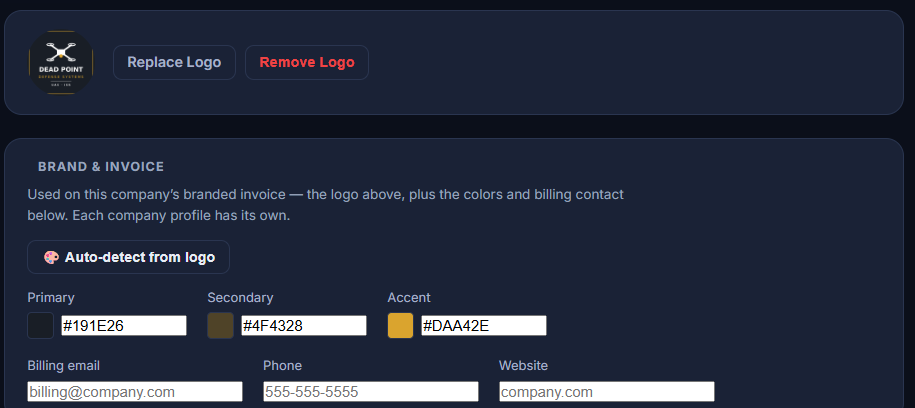
Every profile stores its own logo and three brand colors (primary, secondary, accent), auto-detected from the logo or set by hand. Generate a capability statement and that logo and those colors flow straight into the PDF, with the ink on every colored band picked for contrast, so a light brand never ends up with unreadable white text.
One client isn't the same as the next.
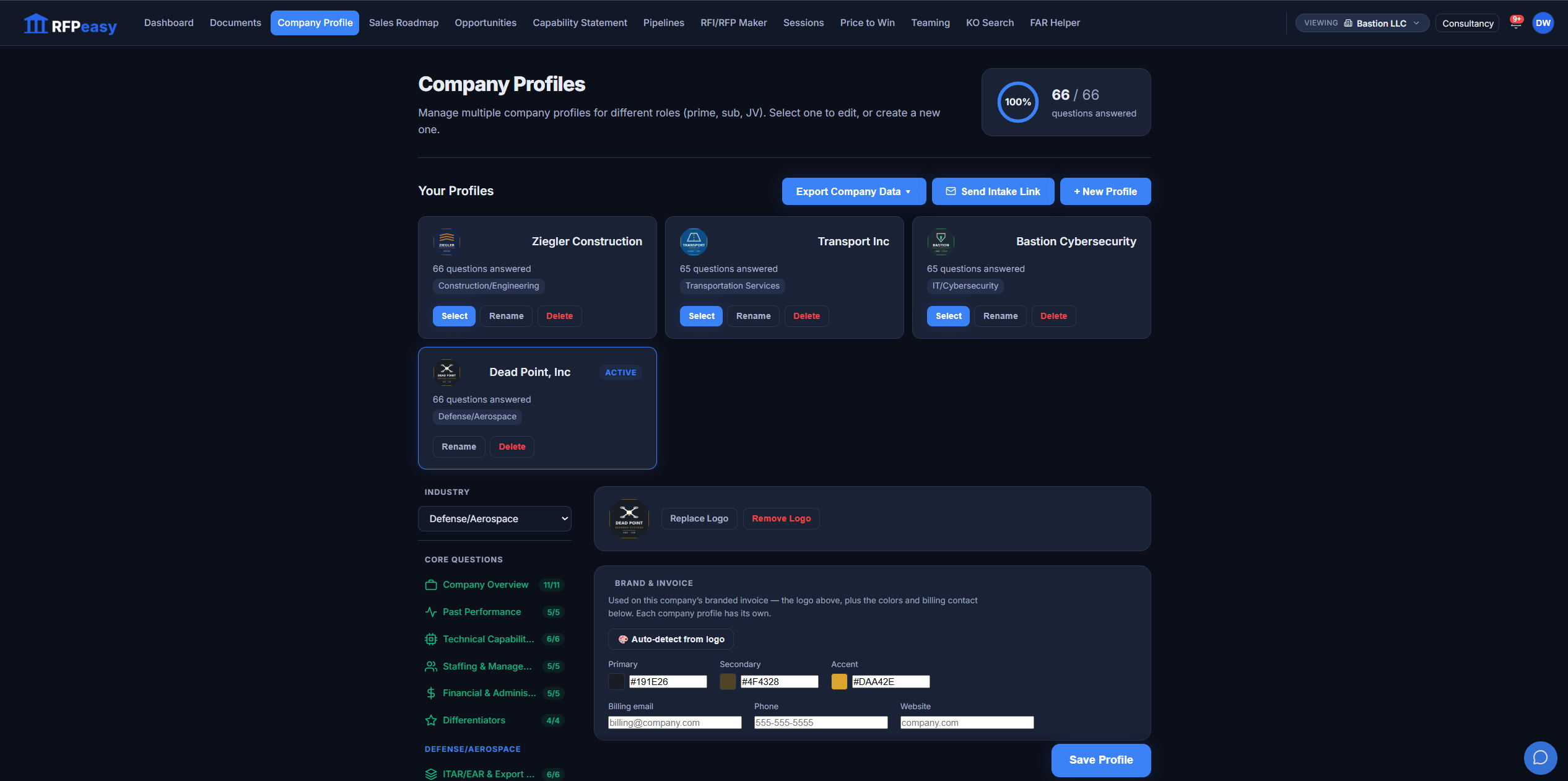
Keep a distinct, complete profile for every company you support, each with its own industry sections, its own logo, and its own brand colors, auto-detected from the logo. Send a client an intake link to fill in their own answers, export their data when you need it, and switch the whole platform to the client you are serving with one selector.
Your profile doesn't sit there. RFPeasy puts it to work.
The Company Profile is the root of the workflow: change the source and everything downstream improves.
- Document VaultExtract facts reads a capability write-up or past-performance doc and proposes profile answers. Nothing lands until you review and accept it.
- OpportunitiesYour matching keywords and service regions drive the match score on every opportunity.
- Sales RoadmapYour company name and primary NAICS seed each market-analysis run.
- Capability StatementGenerated from your profile answers: overview, capabilities, past performance, certifications, brand colors.
- TeamingPartner matching and drafted outreach emails are grounded in your capabilities and past performance.
- RFP / RFI MakerSolicitation analysis and every drafted section pull from your answers instead of a blank page.
- Price-to-WinYour cost structure (labor categories and rates) feeds the build-up.
Your next pursuit shouldn't start from scratch.
Build your RFPeasy Company Profile once, then put it to work across the federal business-development lifecycle. 50 questions. One source of truth. Every RFPeasy outcome gets smarter context.