Turn a solicitation into a response you can actually work from.
Upload the RFP, RFI, Sources Sought, or solicitation package. RFPeasy® identifies the requirements, builds the compliance matrix, creates the proposal structure, drafts against your company information, and shows you what still needs an answer before you submit.
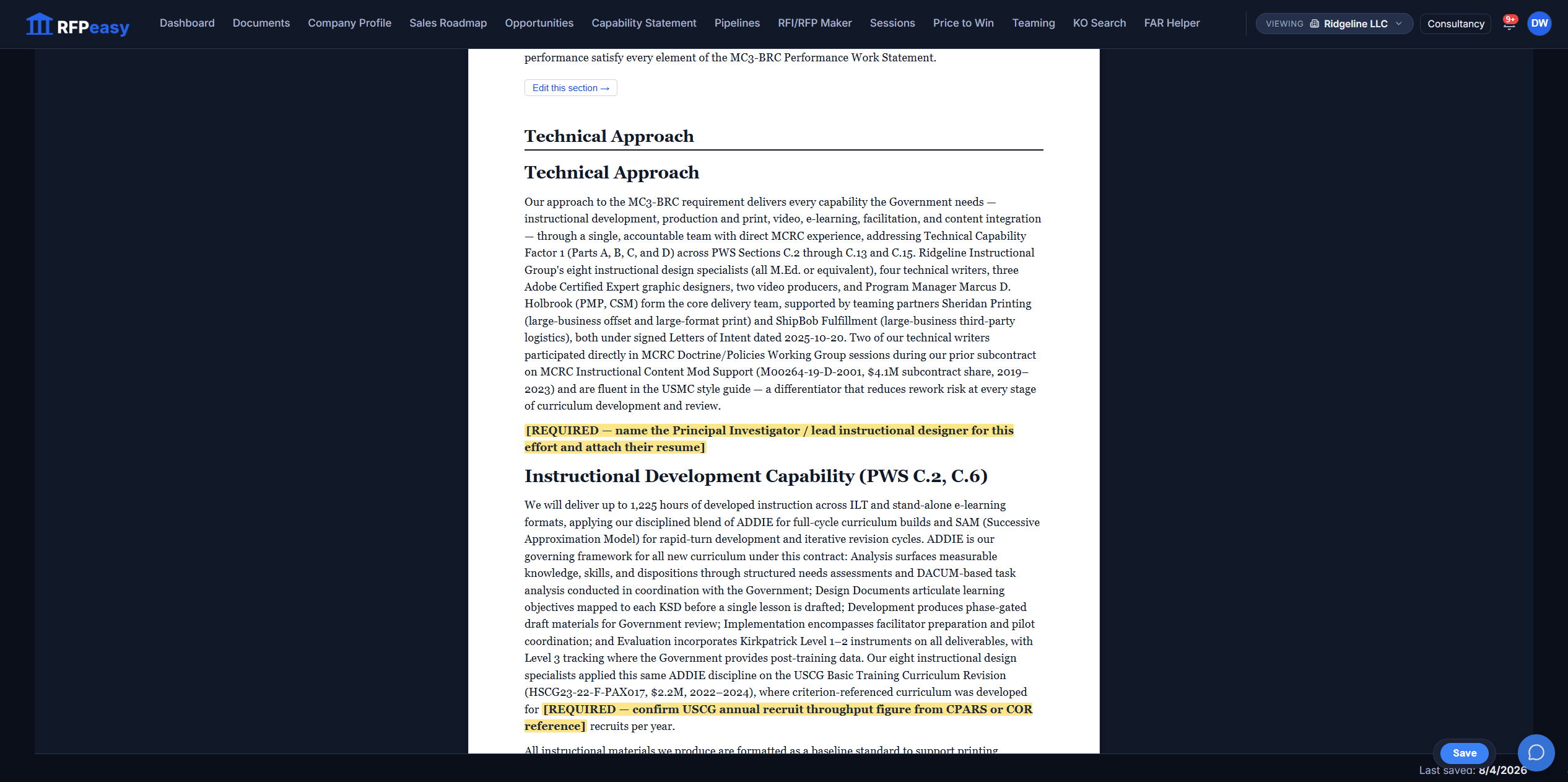
Four kinds of federal response. One place to start them.
The Maker opens on the response you actually need: an RFP / RFQ response with extraction, compliance matrix and section-by-section drafting; an RFI / Sources Sought response that maps every question to your company profile; an SBIR Phase I Technical Volume tailored to all 11 SBIR-participating agencies; and an SBIR Direct-to-Phase-II response with the feasibility documentation D2P2 demands. Your recent sessions sit beside the cards, one click from resuming.
The hard part isn't writing. It's knowing what has to be written.
What do they want?
What do we need to answer?
What information do we already have?
What are we missing?
From solicitation to working proposal environment.
- RFP.pdf
- PWS.pdf
- Attachments.zip
- Amendment.pdf
- Extracted requirements
- Compliance matrix
- Structured response
- Company-specific draft
- Gap analysis
- Client questions
- Submission-ready document
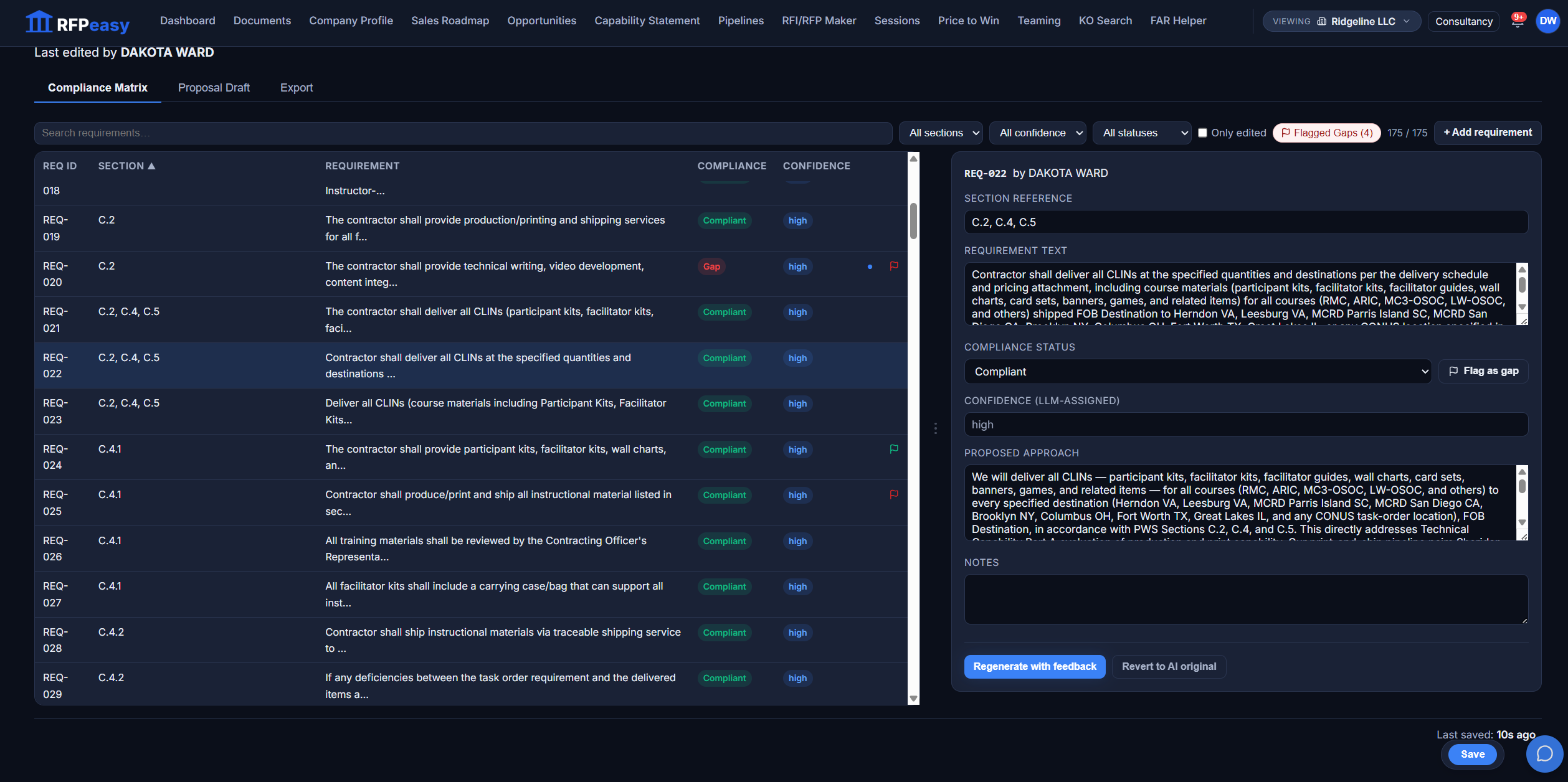
Every requirement gets a place to live.
RFPeasy reads the solicitation into discrete requirements (175 of them in the session shown here), each tied to its section reference, its compliance status, an AI-assigned confidence, and a proposed approach you can edit. Search it, filter to flagged gaps, change a status, add a requirement of your own. Open any row and the full requirement text sits beside the drafted approach, with Regenerate-with-feedback and Revert-to-original one click away.
The compliance matrix isn't an artifact you build and forget. It's part of the proposal.
RFPeasy builds the first draft around the requirement and what it knows about your company.
The draft is constructed from the solicitation requirements and your company profile (your past performance, your people, your certifications), laid out in the sections a proposal needs: Cover Letter, Executive Summary, Technical Approach, Management Plan, Past Performance, Solicitation-Specific Instructions, and an Evaluation Criteria Crosswalk. Your team reviews, challenges, edits, and improves something substantive instead of staring at a blank page.
You remain the proposal team. RFPeasy removes the blank page.
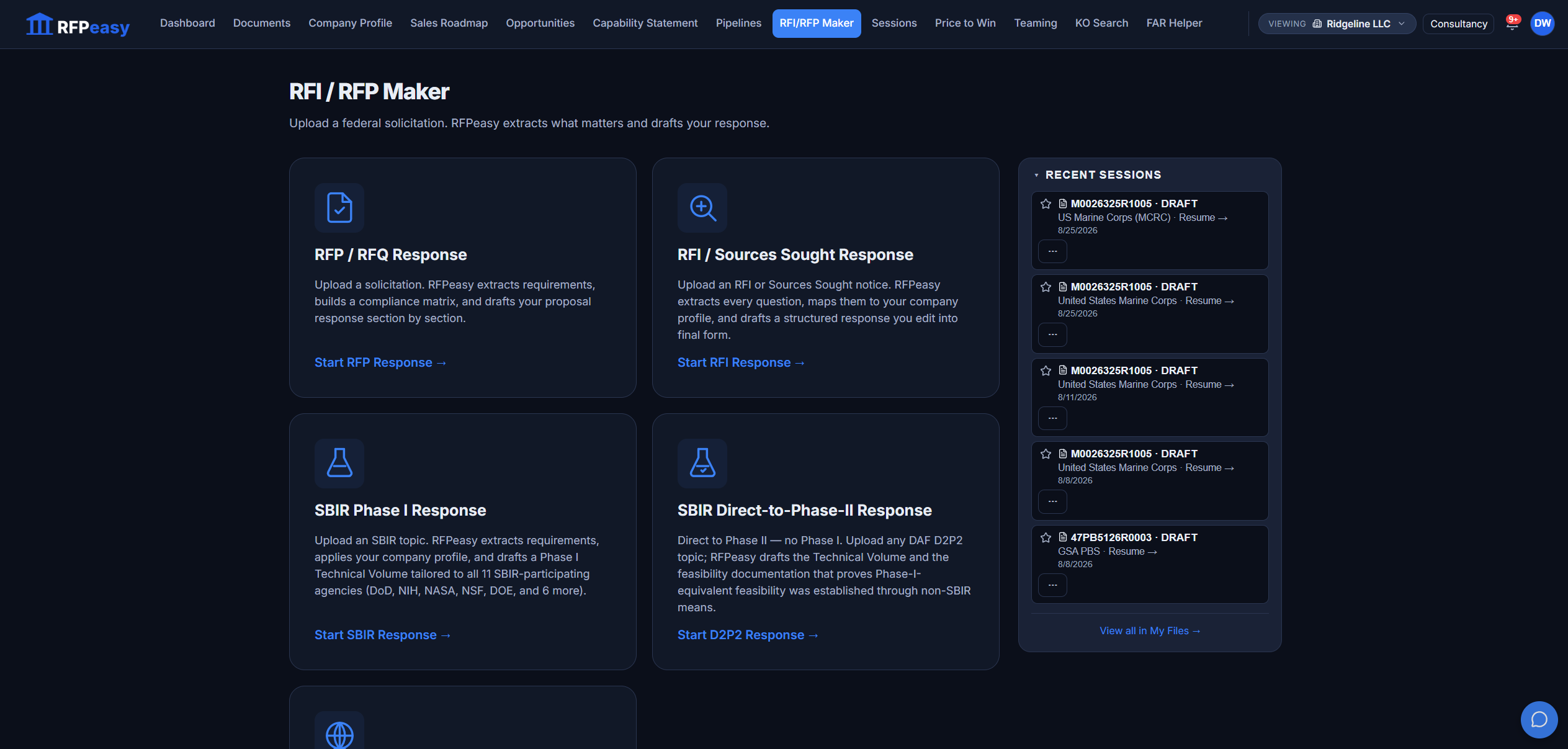
RFPeasy doesn't make up what it doesn't know.
When information required for the response isn't available, RFPeasy writes a bright [REQUIRED] placeholder instead of quietly filling the proposal with assumptions: name the Principal Investigator, attach the resume, confirm the figure from your own records. You can see them highlighted in the drafted document above.
Missing information becomes work to resolve, not text to hallucinate around.
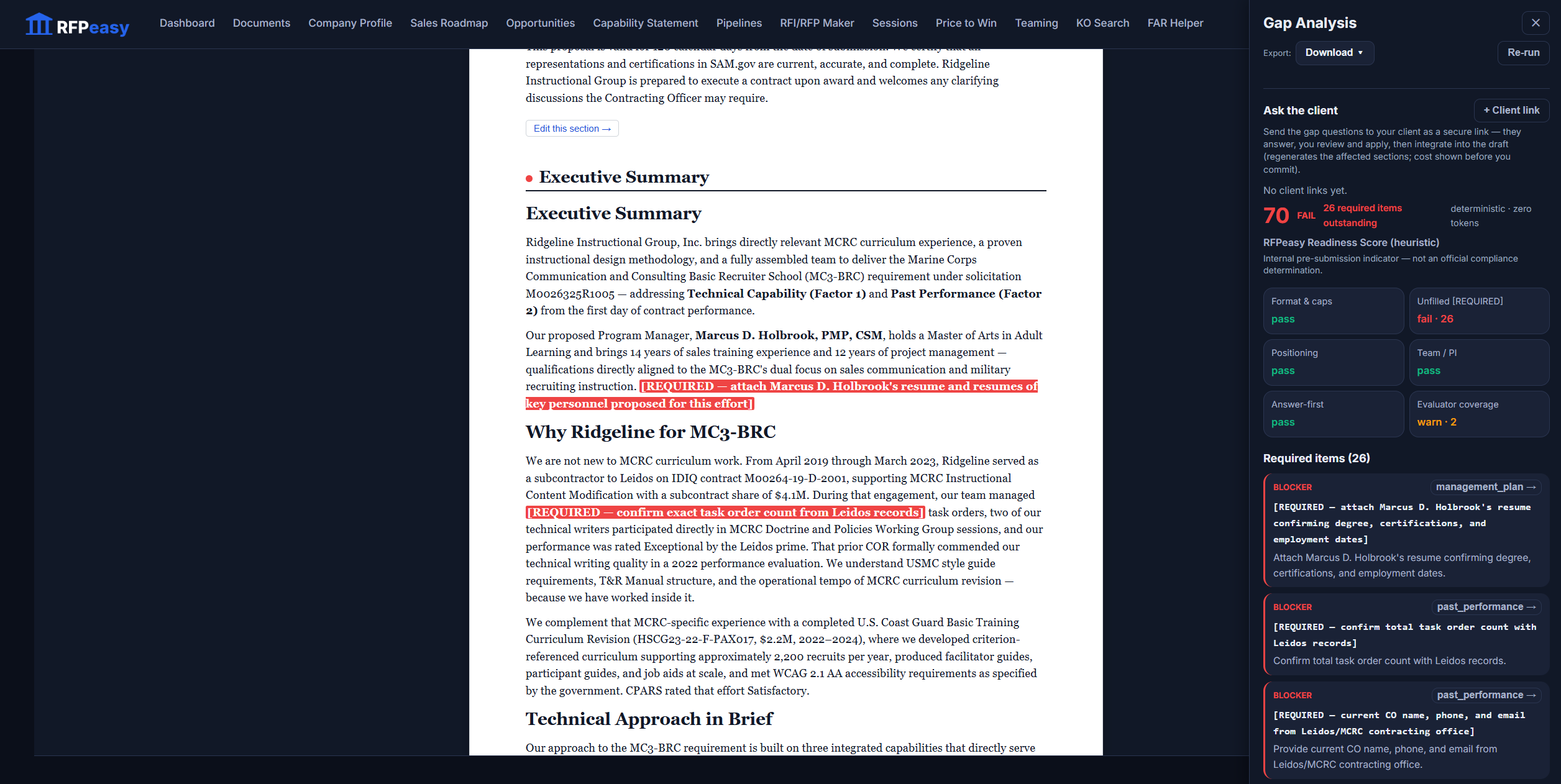
Before you call it finished, RFPeasy tries to prove that it isn't.
The Gap Analysis panel scores the working draft deterministically (zero tokens) and fails it out loud: a readiness score of 70, 26 required items outstanding, with pass/fail tiles across Format & Caps, Unfilled [REQUIRED], Positioning, Team / PI, Answer-First and Evaluator Coverage, and a blocker card for every missing item naming exactly what it needs. It is an internal pre-submission indicator, not an official compliance determination, and it says so on its face.
26 missing items is useful information on Tuesday. It's catastrophic information an hour before submission.
Need information from somebody else? Send the gaps, not the entire proposal.
The same panel turns unresolved items into a secure client link: they answer the questions, you review and apply, and the affected sections regenerate, with the cost shown before you commit. Instead of "can you review the 47-page draft and fill in anything we're missing?" you send "we need answers to these six things."
Nothing is locked behind the machine.
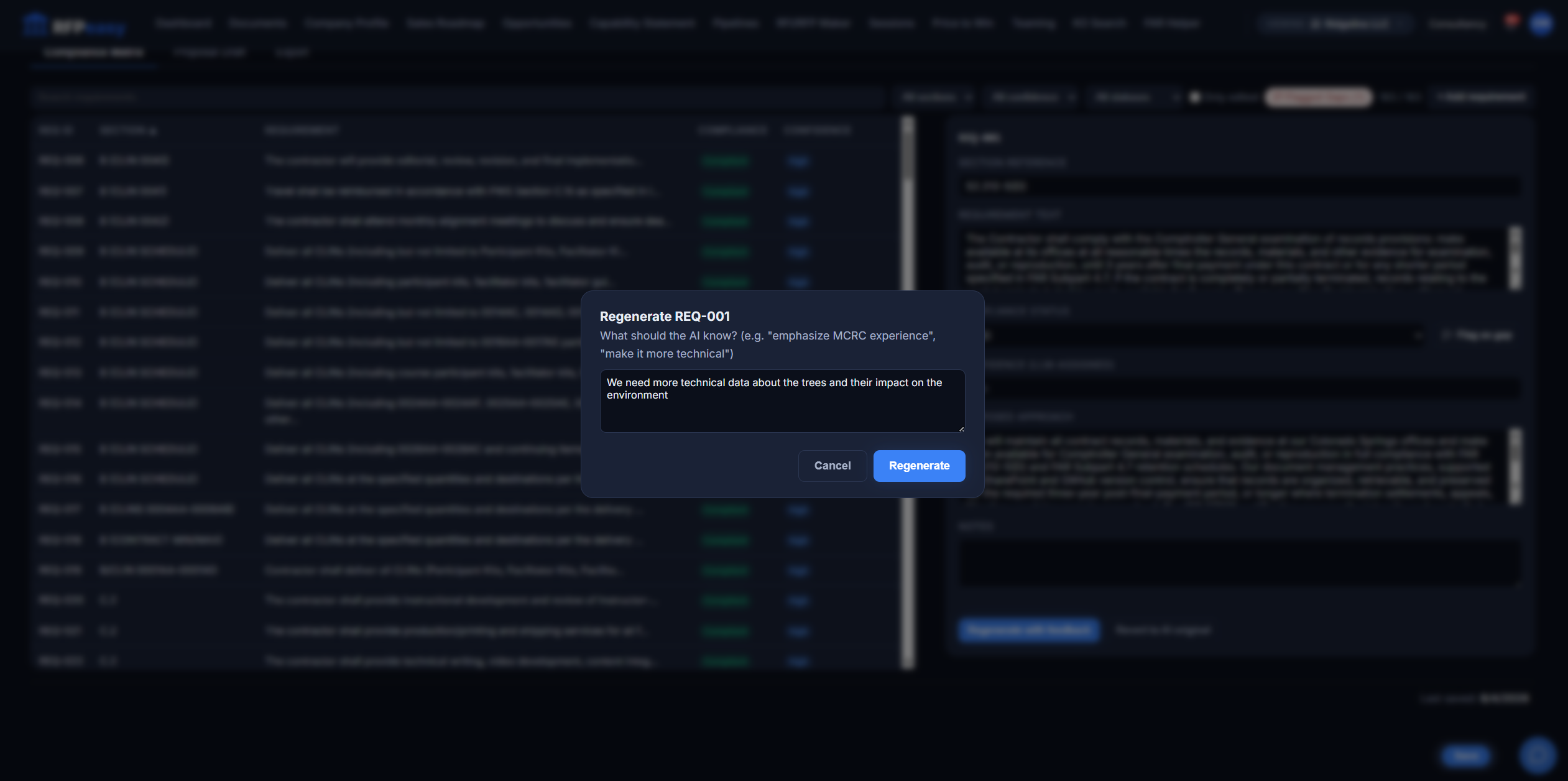
Edit the response directly. Change compliance status. Flag requirements. Lock the draft for review when it's ready. And when a section needs another pass, regenerate just that requirement: you tell the AI what it should know, and only that section redrafts. The original stays one click away.
Automation where it saves time. Human judgment where it matters.
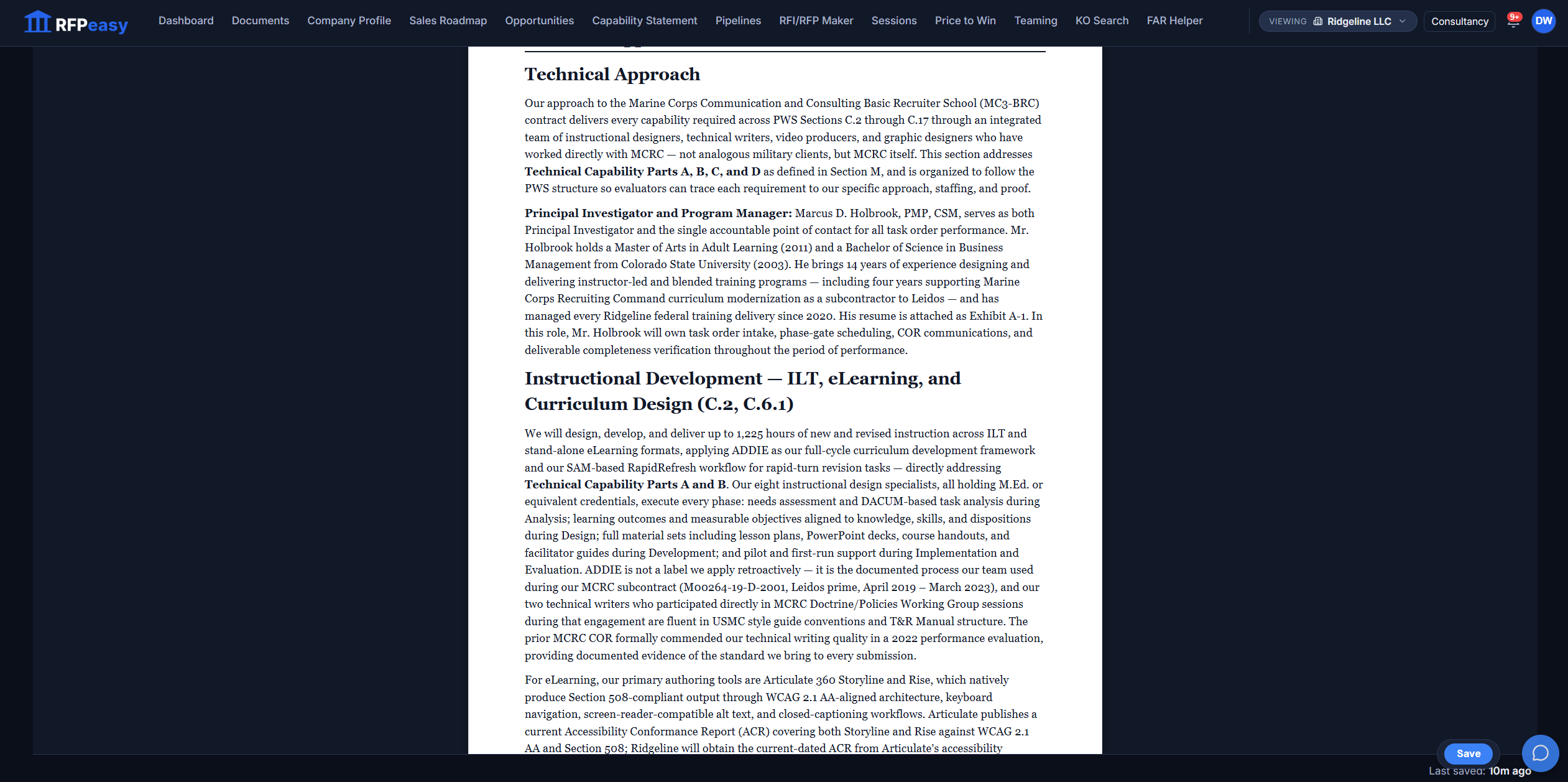
See the proposal before it becomes the proposal.
The preview renders the response as an actual document: structure, formatting, content and any unresolved requirements in context. When every required input is resolved, the same section reads clean: a finished Technical Approach your team reviews as the evaluator will read it.
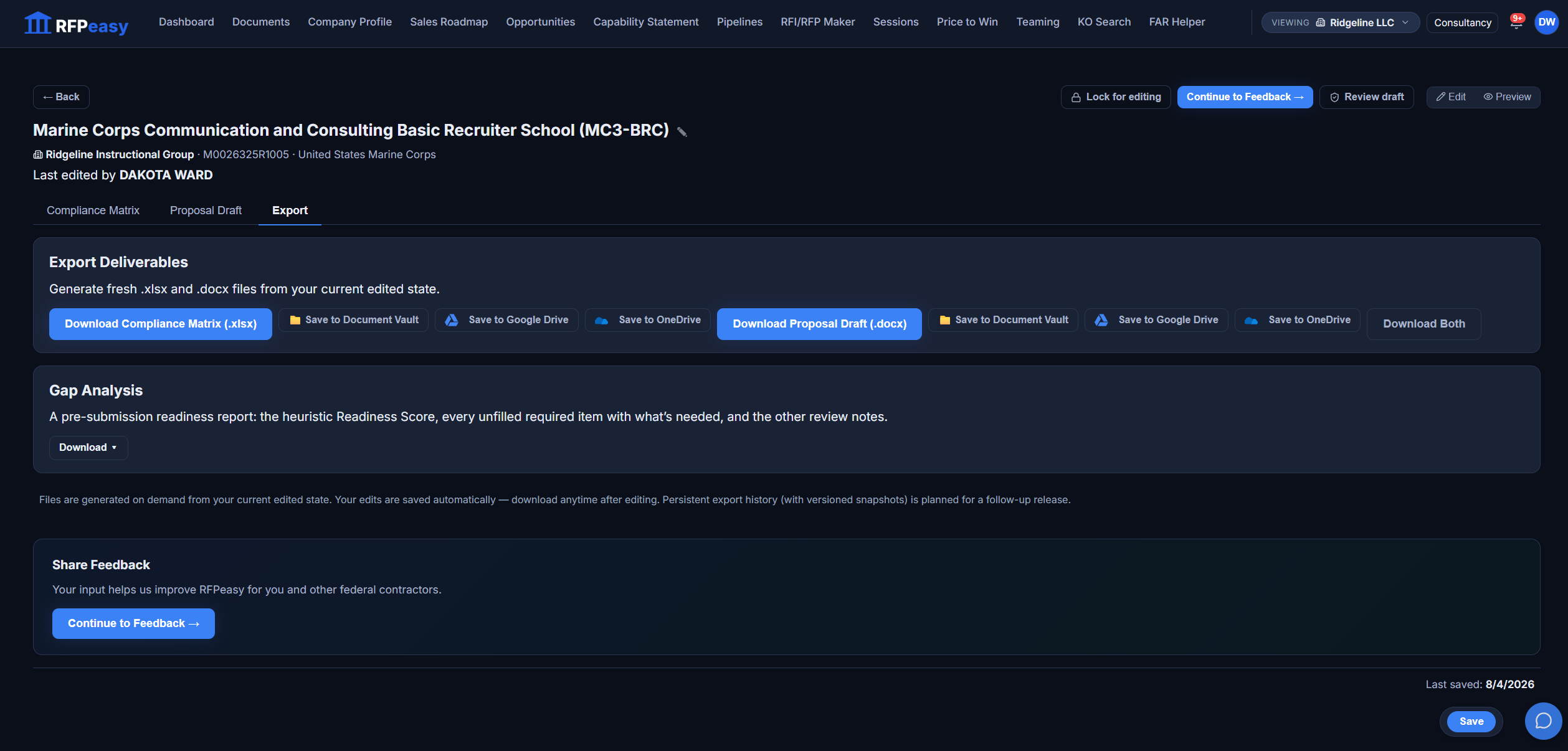
When the work is ready, take it with you.
Export generates fresh files from your current edited state: the compliance matrix as .xlsx, the proposal draft as .docx, the gap-analysis report; each can be downloaded, saved to your Document Vault, or sent to Google Drive or OneDrive. Lock the draft for editing when it goes to review.
You don't need RFPeasy to write more words. You need it to remove the work between "we should bid this" and "this is ready for review."
- Read 200 pages
- Find requirements
- Build the matrix
- Create the outline
- Find company information
- Draft
- Chase missing inputs
- Check compliance
- Review
- Format
- Strategy
- Discriminators
- Pricing
- Solution quality
- Customer knowledge
Built for the team you actually have.
New GovCons: know what the government actually expects before submitting your first serious response. Small GovCons: increase proposal capacity without building a giant proposal department. Growing GovCons: standardize the response process as pursuit volume increases. Consultants: move from document wrangling to higher-value strategy and review.
The response starts where the pursuit lives.
The Maker is the writing room of one connected pipeline, fed by the profile and the pursuit, handing its work to the team.
- Company ProfileAnalysis and every drafted section are grounded in your profile answers.
- Contract Monitor/PipelineCreate Session on a pursuit starts the response with the contract's documents, and links itself back.
- OpportunitiesImported solicitation documents flow straight into a new analysis; SBIR topics open pre-loaded.
- SessionsEvery response is a session the moment it exists: resumable, shareable, linkable.
- TeamingA flagged gap becomes a seeded partner search in one click, and the partner you pick attaches back to the gap it fills.
- Document VaultExports save straight into the vault for the whole team.
You already have a solicitation.
See what RFPeasy can turn it into. 7-day free trial, no card. No proposal team required.