The pursuit shouldn't leave when the person does
Proposal work usually lives in a folder on one person's desktop, an email thread, and a half-finished doc nobody else can find. When they're on leave, the work is gone. Sessions is where every proposal actually lives: who touched it last, and what state it's in.
The problem was never a missing file.
"Sarah had the latest version. She's out until Monday."
"Which draft is the real one, the one in email or the one on the shared drive?"
"Who was working on the Navy RFI? Did anyone finish it?"
"We had a great response for this last year. Nobody can find it."
"Is this pursuit dead, or is someone still on it?"
"I don't want to redo it if it's already half-written somewhere."
The work doesn't belong to a desktop. It belongs to the team.
Start a response as Personal while you shape it. When it's ready for other eyes, one action, Make Team, puts it where every org member can see it, open it, and keep it moving. No re-sending, no re-explaining. The All / Personal / Team pills filter the index to your drafts, the team's shared work, or everything at once; every row wears its scope badge so nobody has to guess. Solo shop? The distinction stays out of your way until you have people to hand work to.
A handoff stops being an event. It's just the work already sitting where the team can reach it.
Same week, one person on leave.
- The only draft is on a laptop nobody else can open
- The context lives in a thread you were never on
- Nobody's sure if the pursuit is still active
- You rebuild from scratch to hit the deadline
- The pursuit slips, and the reason is "Sarah was out"
- The draft is a Team session anyone can open
- The row shows who touched it last and when
- Its state is right there: in progress or complete
- A teammate hits Resume and keeps going
- The deadline gets met because the work never left
Every row answers the questions you'd otherwise have to ask.
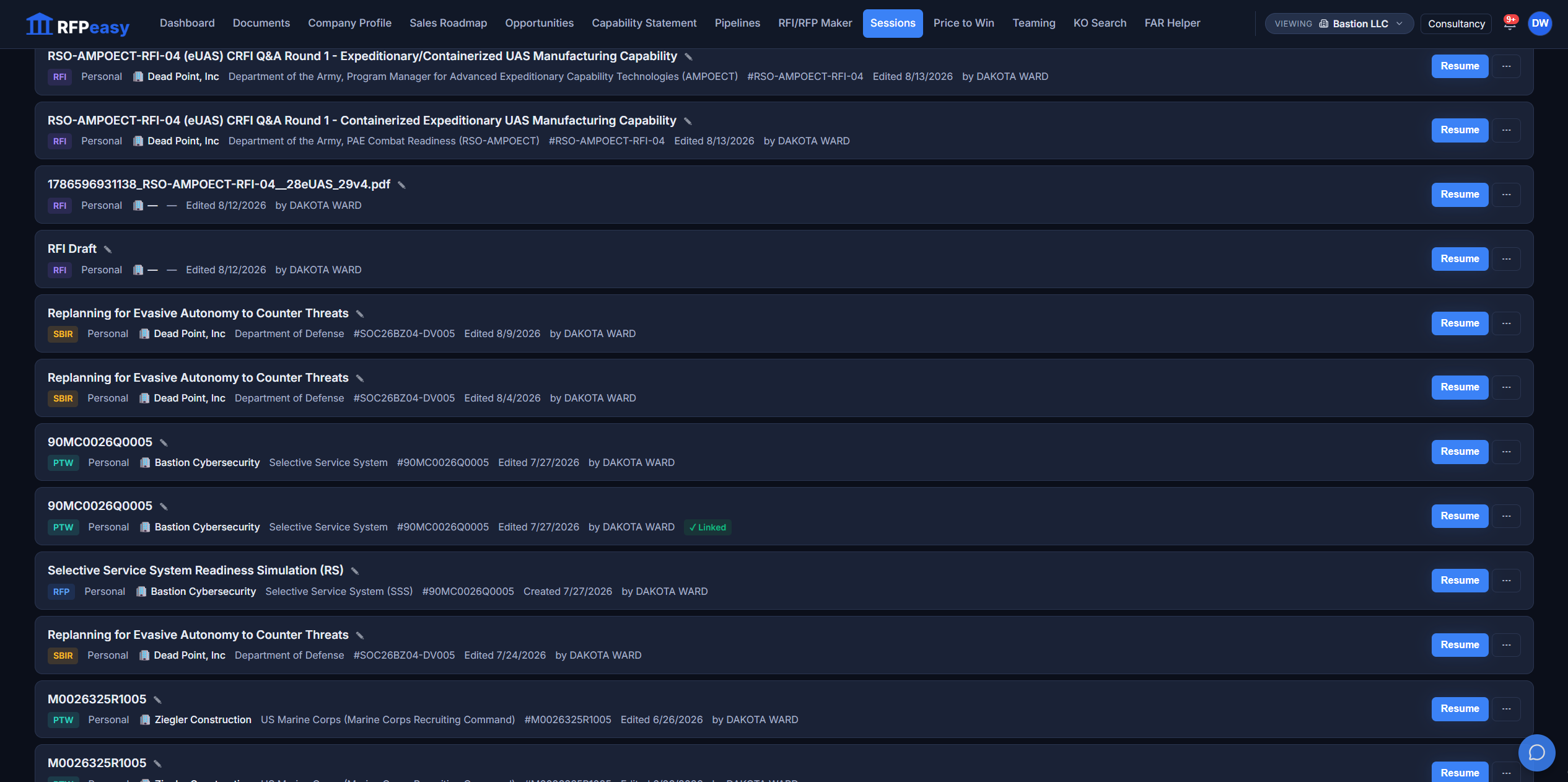
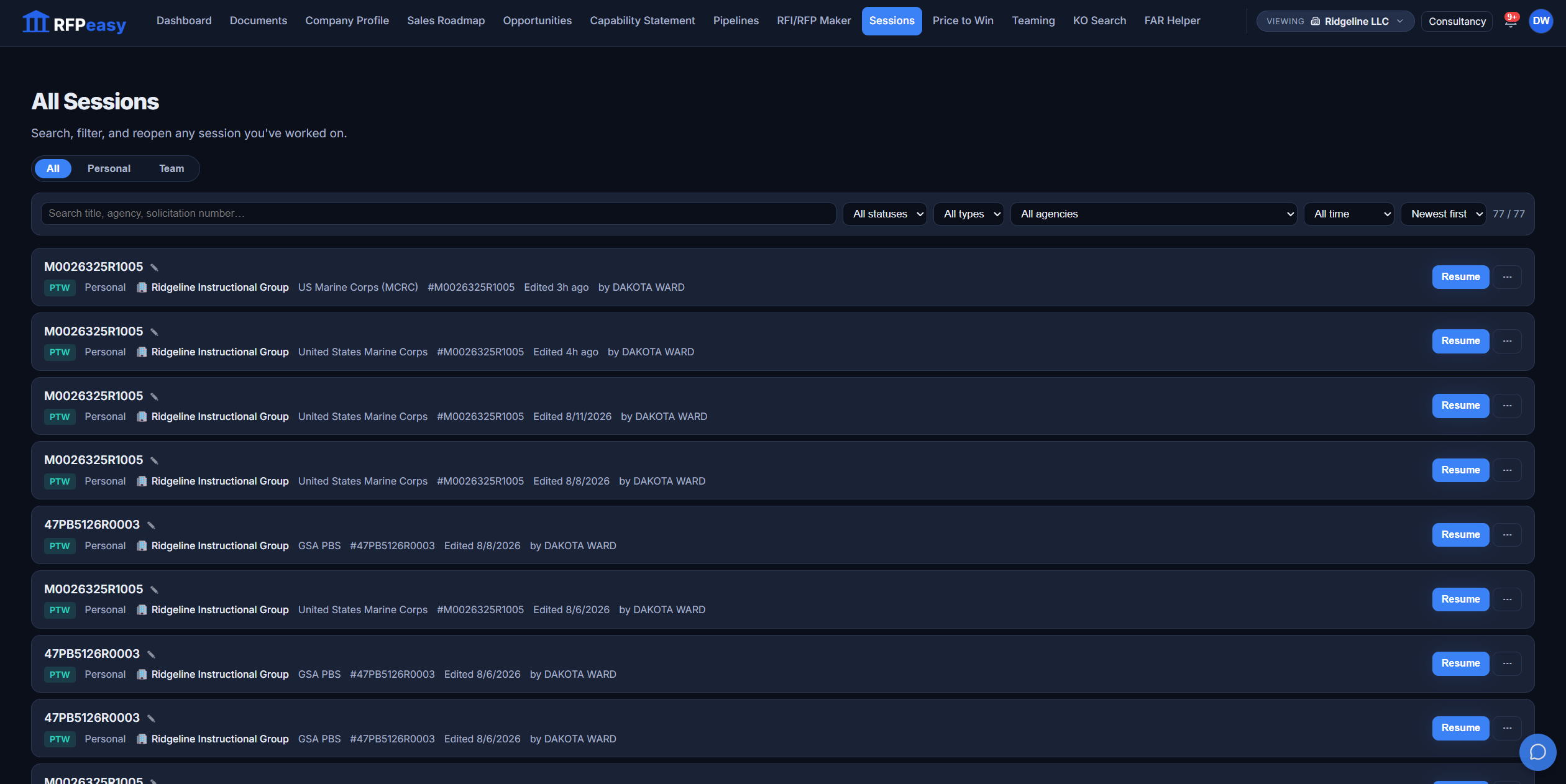
Each session carries its own state on the row: whether it's an RFP, RFI, PTW, or SBIR effort, which company and agency it's for, the solicitation number, whether it's in progress or complete, when it was last touched, and by whom. That last-editor label is the one line that ends most Slack messages before they're sent. You can see the shape of the whole portfolio without opening a single record.
The status of the work is a property of the work, not something you go find out.

Two people, one draft, nobody overwrites anyone.
When a teammate has a session open, the row shows a lock with their name, right in the list, so the next person waits instead of quietly overwriting an hour of someone else's work. And because the index updates in real time, a rename, a scope change, or a pickup shows on your screen without a refresh. You're looking at the state of the work as it is now, not as it was when the page loaded.
Shared work needs a way to see who's already in it. The lock is that signal, in plain sight.
Resume drops you back exactly where it was left.
Resume opens each session in the right surface for what it is: an RFP in the editor, an RFI in the RFI maker, a PTW in its pricing workspace, an SBIR in its checklist and doc surface. The overflow menu carries the rest: Duplicate spins up a fresh draft from proven work, Add to Contract and Pipeline ties the draft to a pursuit, Make Team shares it, Delete retires it. You never have to remember which tool built it.
Continuity isn't finding the file. It's reopening the work and being mid-sentence.

Ask a question. Narrow the list.
As the work piles up, the index answers business questions instead of making you scroll. Search by title, agency, or solicitation number. Filter to just RFPs, or just RFIs, just one agency, just the last seven days, just what's still in progress. Sort by newest, oldest, or last edited to float the active work to the top.
What did we touch this week? What's still open for the Air Force? The list answers, not another meeting.
The draft and the deal, on the same string.
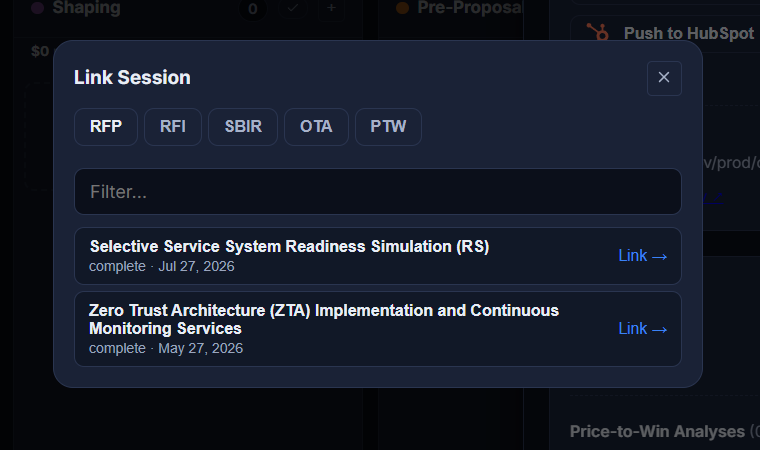
A response isn't an island; it belongs to an opportunity you're tracking. Attach any session to a monitored contract and it wears a ✓ Linked badge on its row. The link works from both ends: pick a contract from the session row, or open a pursuit in Pipelines and link any RFP, RFI, SBIR, OTA or PTW session from its drawer.
Everything RFPeasy makes lands here.
Sessions is the layer of memory underneath the platform: the record of what your team is working on, what's done, and what's waiting to be picked back up.
- RFP / RFI MakerEvery RFP, RFI, SBIR and OTA response becomes a session the moment it exists.
- Price-to-WinSaved analyses reopen here as resumable PTW sessions.
- Contract Monitor/PipelineAdd to Contract and Pipeline ties any draft to the pursuit it belongs to, from either side.
Stop losing pursuits to a calendar.
Put your proposal work somewhere the whole team can see it, resume it, and hand it off, so the next person out of office isn't the end of a deal.